
Genloop: AI Video Generator
Developer of VegasLifestyle
1.83.00 Reviews
- Version
- 1.0.1
- Installs
- 50.00K
- Age Rating
- Mature 17+
Screenshots
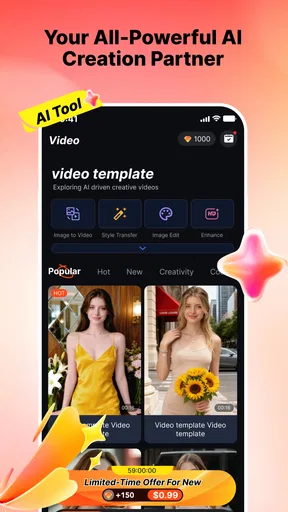
Our Review of Genloop: AI Video Generator
 Analysis by Appyee
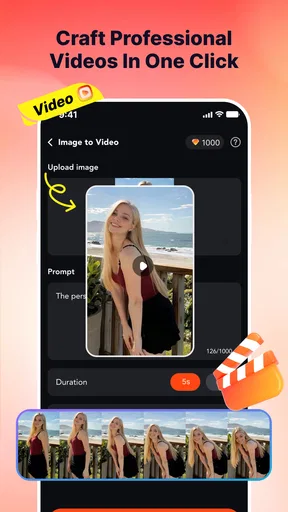
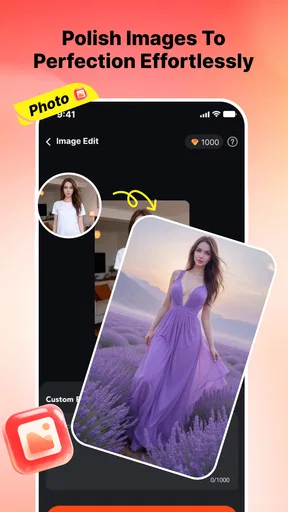
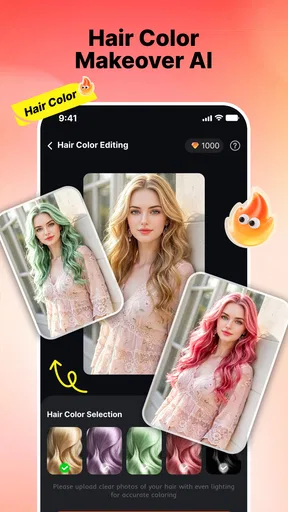
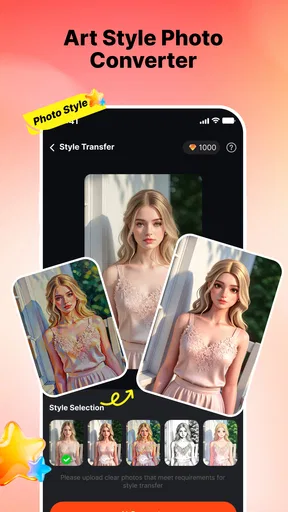
I approached Genloop: AI Video Generator as a small creative tool rather than a full video editor. Its purpose is straightforward: turn photos, portraits, selfies, and artwork into AI-generated videos. That idea has immediate appeal because it promises movement without asking me to learn a timeline, keyframes, or complicated editing controls. For a quick experiment, a profile image, or a playful post, the concept is easy to understand.
After spending time with the app, my opinion is more cautious. The first session is the strongest part of the experience because the transformation feels new and visually surprising. The harder question is what happens after that novelty wears off. A lifestyle app earns a permanent place on my phone when it becomes useful often enough to justify opening it, and this one currently feels more like an occasional creative experiment than a dependable everyday companion.
What the first week feels like
The initial appeal comes from the low barrier to entry. I do not need a collection of video clips before starting; a single suitable image can be the basis for an animated result. That makes the app especially approachable for someone who has folders full of portraits, travel pictures, illustrations, or digital artwork but little interest in conventional editing software.
A realistic first-week scenario would be preparing a birthday message for a friend. I could choose a clear portrait, try an animated treatment, and use the result as a more personal alternative to sending the original photograph. The same workflow could suit a creator testing a visual idea, a small business owner making a social post from product artwork, or someone wanting to give an old family picture a fresh presentation.
The important distinction is that this is not the same as producing a complete, polished video project. The app’s central value is the transformation of still imagery into motion. If I already know exactly how I want to cut scenes, add several layers, control timing, or build a longer narrative, a traditional mobile editor is likely to give me more control. Genloop is most attractive when the starting point is one image and the desired result is a quick visual variation.
I also found that the source image matters more than a casual user might expect. A clean subject with a clear face or strong visual shape gives the process a better chance of looking intentional. Busy backgrounds, awkward crops, and images with several competing subjects can make the result feel less convincing. My practical advice is to prepare a few alternatives instead of assuming the first photo will be the best one.
That small preparation step is one of the app’s useful, less obvious trade-offs. The convenience is not simply “choose anything and receive a perfect video.” The real workflow is closer to selecting the right raw material, testing the idea, and deciding whether the result is worth keeping. Users who enjoy that kind of visual trial and error will probably have more fun than people seeking a predictable one-tap outcome.
Genloop is free to install, which makes trying it less intimidating. It is rated for Mature 17+ audiences, so I would not treat it as a casual children’s creativity app. The presence of in-app purchases, ranging from $1.99 to $99.99 per item, also changes how I would approach the first week: I would explore the basic experience first and avoid paying simply because an early result looks exciting.
The app is associated with Developer of Vegas and currently uses version 1.0.1. It supports devices running Android 7.0 or later. Those details make it accessible to a broad range of Android users, although compatibility alone does not guarantee that every older phone will feel equally comfortable when handling AI-generated media.
Where the early excitement is strongest
The best first-week use is a short creative challenge with a clear purpose. Instead of opening the app repeatedly without a plan, I would choose a small set of images and ask a specific question: can this portrait become a lively greeting, can this illustration feel animated, or can this still image work as a short social teaser? That approach makes the results easier to judge.
It is also worth keeping expectations realistic about style. AI animation can be entertaining precisely because it interprets an image rather than merely applying a standard slideshow effect. At the same time, interpretation introduces unpredictability. A result may capture the mood I wanted, or it may produce motion that feels strange enough to require another attempt. That unpredictability is part of the appeal, but it is also the first sign that the app may not satisfy users who need precise artistic control.
The current user response suggests a reason to be careful. The app has an average rating of 1.8 from around 50 ratings, with only a small number of written reviews. I would not use that alone to dismiss the concept, especially for a relatively young product, but I would take it as a warning to test the experience personally before spending money or building an important project around it.
Does it have value after the novelty fades?
The month-to-month question is more difficult than the first-week question. An app like this can remain useful if I regularly need quick visual content from still images. For example, a person who manages a personal social feed may use it for occasional announcements, themed posts, or creative variations of portraits. An illustrator might use it to preview how a static piece could feel when given movement. A family user might return for celebrations rather than daily entertainment.
For me, that points to recurring but irregular value. Genloop does not need to be opened every day to be worthwhile, but it needs to solve a specific problem better than the alternatives. Its strongest advantage is speed of concept: I begin with a still image instead of assembling a video from multiple clips. That can save effort when the goal is a single animated moment rather than a complete production.
However, the app becomes less compelling when my needs grow. If I want subtitles, a carefully timed soundtrack, multiple scenes, branded layouts, or exact transitions, I would rather use a conventional video editor. Those tools may take longer to learn, but they are better suited to repeatable production. Genloop’s appeal is the shortcut, and shortcuts are valuable only when the destination is simple enough.
There is another practical limitation: a generated result can be interesting without being reusable. I might enjoy watching an animated portrait once, yet struggle to find a reason to make another version next week. This is the central maintenance challenge. The app’s long-term place depends on whether I have a steady supply of meaningful images and occasions, not merely whether the first transformation is impressive.
I would also separate personal use from professional use. For casual posts and experiments, unpredictability can be part of the fun. For client work, scheduled campaigns, or anything requiring consistent visual identity, I would want more control and a clearer repeatable process. Even if a result looks good, relying on a tool that may require several attempts can make planning harder.
A workflow that makes repeat use more sensible
My preferred recurring workflow would be selective rather than constant. I would keep a small folder of images that are well framed, visually distinct, and appropriate for animation. Before opening the app, I would decide whether I need a portrait treatment, an artwork experiment, or a social-ready visual idea. This prevents the common trap of browsing aimlessly and generating content with no clear destination.
I would then compare the result against the original image, not just against the excitement of seeing motion. Does the animation preserve the subject’s identity? Does it improve the message I want to send? Is it suitable for the audience who will see it? These questions help separate a genuinely useful result from a novelty that is fun for a few seconds but weak as communication.
A second useful habit is to keep the original file untouched and treat every generated version as an experiment. That matters because the value of the source image may be greater than the value of any single animation. Keeping the original gives me freedom to try different creative tools later, while also preventing a failed attempt from becoming a permanent loss.
I would also avoid making purchases during the first burst of enthusiasm. Since the app offers paid items from $1.99 up to $99.99, I would first learn how often I actually use it and whether the generated results fit my needs. A paid option may be reasonable for a specific project, but recurring spending makes less sense if I only open the app a few times a month.
Maintenance, friction, and creative fatigue
Maintenance here is less about managing a complicated library and more about managing expectations. I need suitable images, a reason to animate them, and enough patience to judge results fairly. That is a lighter burden than learning professional editing software, but it is still a burden. The app does not remove the creative decision-making; it shifts that work toward choosing inputs and evaluating outputs.
The first source of fatigue is repetition. Once I have seen several still images brought to life, the basic surprise becomes less powerful. If the app does not fit into a broader routine, I may stop opening it simply because I have already explored the obvious idea. This is why I see it as a focused tool for certain moments rather than an endlessly renewable entertainment app.
The second source is inconsistency. When an image does not animate in the way I imagined, I may need to try another source or rethink the intended result. That can be enjoyable for experimentation, but frustrating when I am working against a deadline. Someone who wants a guaranteed output with minimal revision should probably choose a more predictable editor or a standard motion-template app.
The third source is the gap between visual novelty and communication. A moving portrait can attract attention, but movement alone does not make a post clearer or more meaningful. I would use the app when animation adds personality or emphasis, not simply because a still image feels ordinary. That distinction helps prevent a feed from becoming filled with effects that look impressive but say very little.
Privacy and audience judgment also deserve a place in the routine. Because the app works with portraits and selfies, I would be selective about the images I upload and careful about using other people’s faces without their permission. I would also remember the Mature 17+ rating when deciding who should use it and what kind of content belongs in the workflow.
Another maintenance issue is storage and organization. Generated videos can quickly become clutter if I save every attempt. I would keep only the versions that serve a purpose, label them by occasion, and delete failed experiments after reviewing them. This is a small habit, but it makes occasional use much less frustrating and prevents the app from turning a photo folder into a pile of indistinguishable clips.
Who should use it, and who should skip it?
I think Genloop is a good fit for curious Android users who enjoy visual experimentation, have a collection of portraits or artwork, and want a fast way to explore motion without opening a full editing suite. It may also suit people creating occasional personal greetings or social posts where an unusual animated image is more valuable than a perfectly controlled production.
I would skip it if my main goal is professional editing, reliable batch creation, detailed timing, or a complete replacement for a video editor. I would also skip it if I dislike trial and error. The app’s central experience depends on seeing what happens when a still image is interpreted as motion, and that means the result may not always match the mental picture I had.
Compared with a slideshow maker, Genloop offers a more imaginative starting point because the image itself is the source of the animation rather than merely appearing between cuts. Compared with a full mobile editor, it is simpler but much less flexible. Compared with manually animating artwork, it is faster but gives me less control over every movement. Those are not flaws in isolation; they define the audience it serves.
My long-term verdict
Genloop: AI Video Generator earns a place on my phone only if I have a recurring reason to turn still images into short creative experiments. Its first-week appeal is real: the concept is accessible, the starting material can be familiar photos or artwork, and the result can make an ordinary image feel new. For a personal greeting or a quick visual idea, that convenience is meaningful.
My long-term judgment is more reserved because the app does not automatically create a lasting habit. Once the initial surprise fades, I need a steady stream of suitable images and clear occasions to justify returning. The free entry point makes testing sensible, but the available paid items mean I would be disciplined about spending. I would judge the app by repeated usefulness, not by the most exciting first result.
The low average rating of 1.8, based on around 50 ratings, reinforces my decision to approach it as an experiment rather than a dependable production platform. It may improve as the product develops, but right now I would not make it the only tool in a content workflow. I would keep a traditional editor nearby for projects where control, consistency, and timing matter more than surprise.
My recommendation is therefore conditional but positive for the right person: try it if you want to animate portraits, selfies, or artwork with minimal setup, and begin with a small personal project. Do not buy an expensive option before you know how often the results are genuinely useful. If the app helps you create something you would otherwise never make, it has earned occasional space. If the novelty is the only reason you return, uninstalling it later would be a reasonable conclusion.
Verdict
Strengths of Genloop: AI Video Generator
- Turns text prompts into engaging short videos quickly.
- Offers creative AI styles for varied visual results.
- Useful for social media clips, ads, and concept previews.
- Simple interface makes video creation accessible to beginners.
- Can reduce the time and cost of producing basic video content.
Limitations of Genloop: AI Video Generator
- AI results may differ noticeably from the original prompt.
- Complex scenes and consistent characters can be difficult to generate.
- High-quality exports may require a paid plan or credits.
- Rendering times can increase during busy periods.
- Generated videos may need editing before they look fully polished.
Similar Picks in This Category
View All
SmartThings
Samsung Electronics Co., Ltd.4.6

Google Home
Google LLC4.0

Pinterest4.2

Astrotalk - Talk to Astrologer
Astrology & Horoscope4.7

My Verizon
Verizon Consumer Group4.5

Samsung Wallet (Samsung Pay)
Samsung Electronics Co., Ltd.4.1
Frequently Asked Questions
What is Genloop: AI Video Generator, and what can I create with it?
Genloop: AI Video Generator is an AI-powered creative app designed to turn written prompts, images, or ideas into short videos. Depending on the available tools and your selected plan, you may be able to generate animated scenes, social media clips, promotional content, visual effects, or stylized image-to-video creations. Results depend heavily on the prompt, source material, and processing options you choose.
Is Genloop: AI Video Generator free to download and use?
The app may be free to download, but some generation features, export options, premium styles, or higher-quality results can require in-app purchases or a subscription. Before creating multiple videos, check the current pricing, credit system, trial conditions, and renewal terms shown in the app store or inside Genloop. AI video generation can also consume credits quickly, especially for longer or higher-resolution clips.
Does Genloop require an internet connection to generate videos?
Yes, users should expect to need a stable internet connection for most AI video generation features. The processing is generally performed on remote servers rather than entirely on the phone, so prompts and uploaded media may need to be sent online for analysis and rendering. Generation time can vary according to server demand, video length, visual complexity, and the quality setting selected.
Can I use Genloop-generated videos for commercial or social media projects?
Genloop may be useful for social posts, presentations, advertisements, and other creative projects, but commercial usage depends on the app’s current license, subscription terms, and the rights associated with any images, music, characters, or text you provide. Always review the official terms before monetizing a video. You are also responsible for avoiding copyrighted or unauthorized material in your prompts and uploads.
What should I know about privacy when uploading images or prompts to Genloop?
Before using Genloop, review its privacy policy to understand how prompts, uploaded images, generated videos, account details, and usage data are collected, stored, and processed. Avoid uploading private photographs, confidential business material, personal documents, or content involving other people without permission. If you create an account or subscribe, also check how billing information and deletion requests are handled.
